D Demo
Kolumna · two examples

See what you get
— before you buy.

Both dashboards below were built with Kolumna from one and the same Excel file — sales data by region. Nothing is retouched: what you open is exactly the HTML file the tool produces.

Source One Excel file
Result One HTML file
Time A few minutes
Example I · Light mode

Sales by region

The default theme — soft, light, ready for email and intranets.

KPI cards with targets and change arrows, bar and donut charts, a trend line, a comparison view and a filterable table — all generated automatically from the columns in the file.

Do try it yourself: click Edit layout in the dashboard, drag the sections around and resize them. The layout is saved locally in your browser — and that is exactly how it works for your recipients too.

The example dashboards are in Swedish — Kolumna produces dashboards in Swedish or English, matching your data.
Example II · Dark mode

Same data, dark theme

One click in the generator — same content, different suit.

Kolumna ships with two themes: light and dark. You choose in the final step, and colours, charts and tables follow along. Print is always light, whatever the theme — so the paper version holds up.

What the tool looks like

Four steps, no surprises.

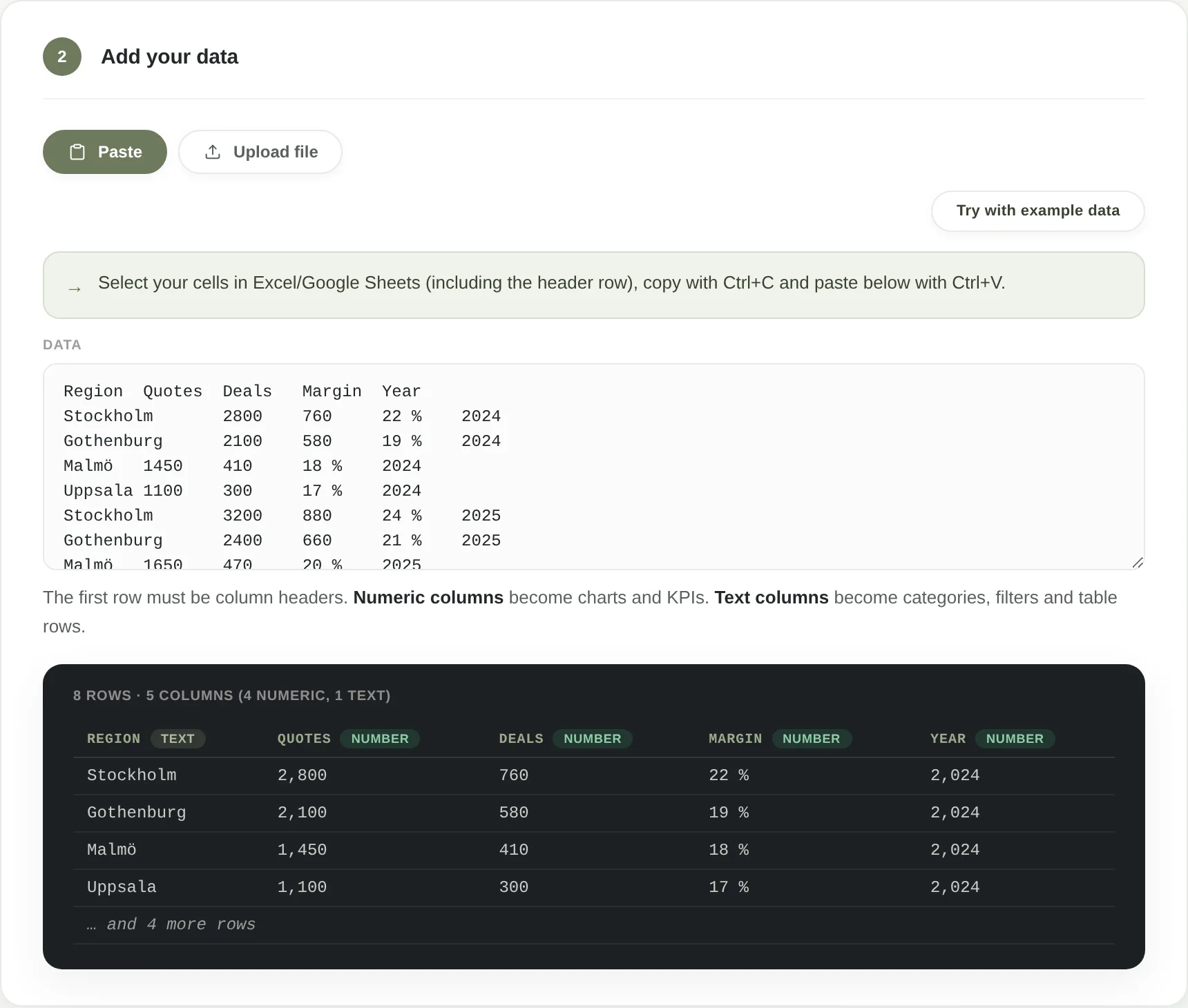
Step 2 in Kolumna: data pasted from Excel, with an automatic preview of columns and rows
PasteCopy the cells in Excel, paste — Kolumna reads the columns right away.
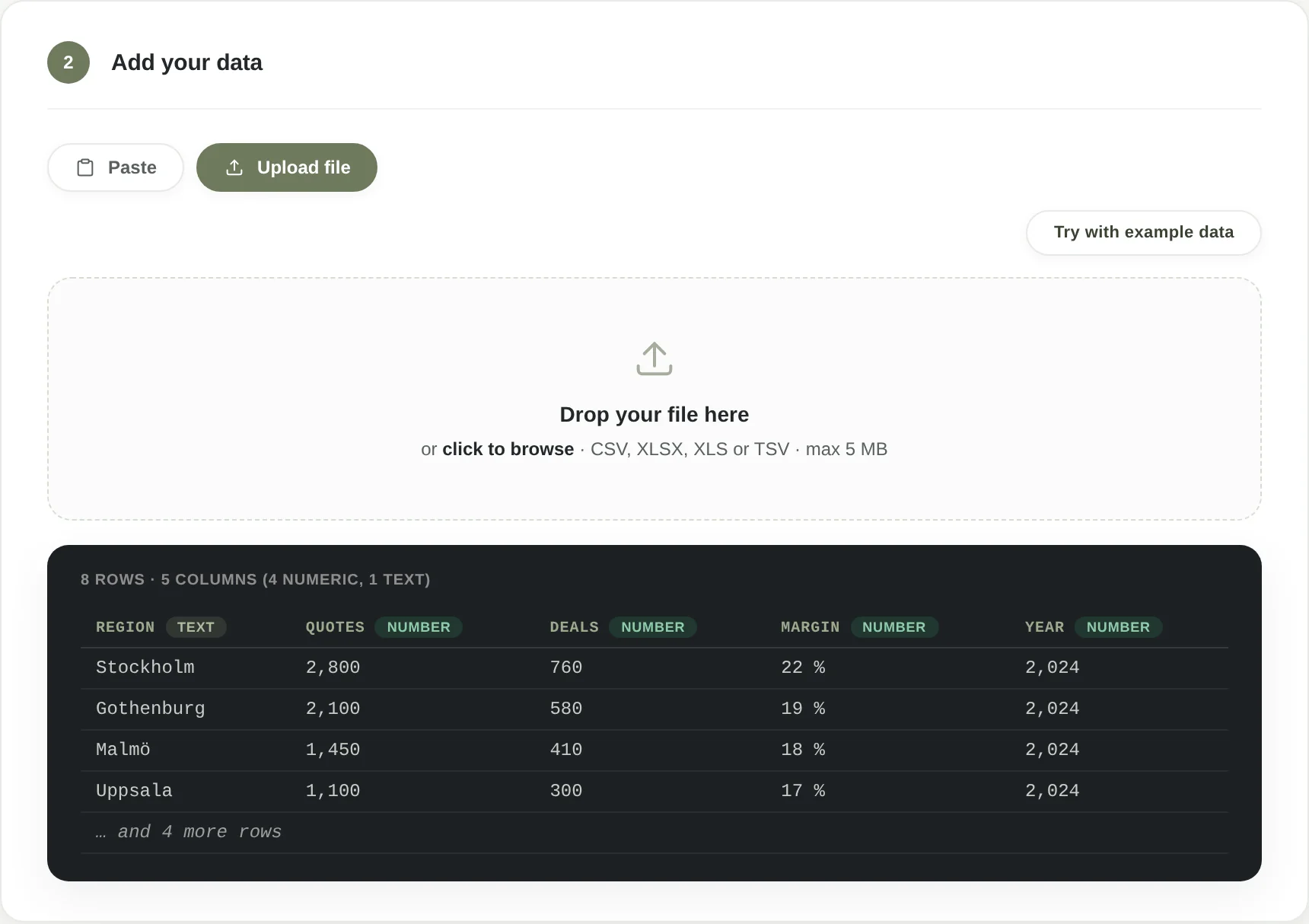
Step 2 in Kolumna: upload mode with a drag-and-drop zone for CSV, XLSX, XLS and TSV files
Or uploadDrag and drop your file — CSV, XLSX, XLS or TSV, fully local.
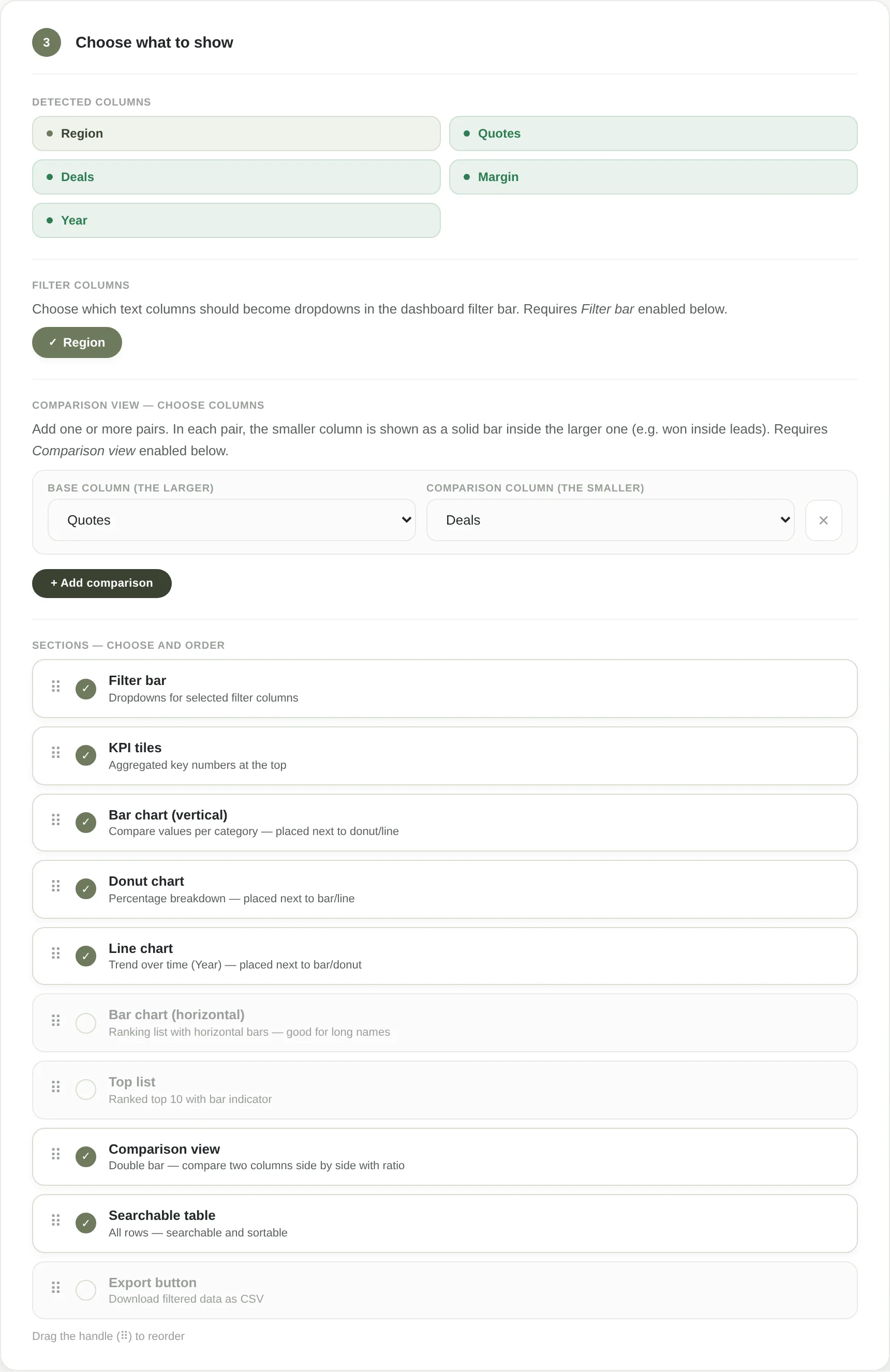
Step 3 in Kolumna: choose what to show — identified columns, filter columns, comparison view and sections to toggle and reorder
Choose contentToggle sections on and off, pick filters and comparisons — in any order you like.
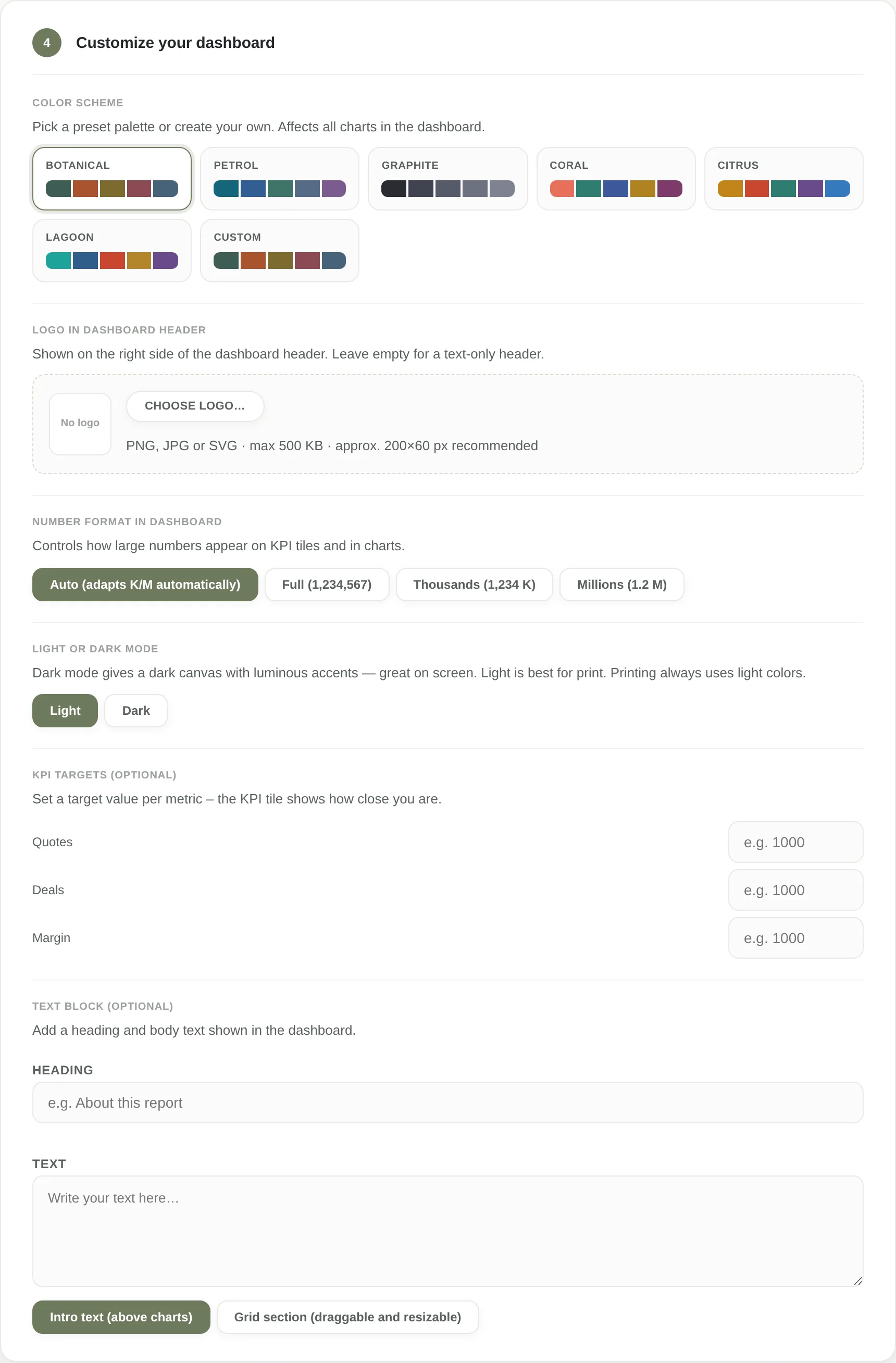
Step 4 in Kolumna: adjust the look — colour schemes, your own logo, number formats, light or dark mode and KPI targets
Adjust the lookSix colour schemes or your own colours, a logo, light or dark — and KPI targets if you want.
Next step

Want to do the same with your file?

Kolumna launches in the summer of 2026 — one version, USD 19, one-time purchase. Drop us a line and we will let you know when it is time.

Email [email protected]
More about the tool Kolumna — Tools